



Request a Demo

Elevating Customer Experience UVeye and myKaarma Integration

UVeye and myKaarma have partnered to enhance dealership service operations by integrating UVeye tire and alignment inspection data into myKaarma’s communication and service tools. This improves transparency, streamlines workflows, and elevates the customer experience. See how our integration brings value to dealerships and their customers below.

Enable Integration

Key Features

Powerful key features that enhance your dealership’s capabilities by streamlining operations, improving customer communication, and driving better results.

Synchronized Data

UVeye tire and alignment inspection data flows directly into myKaarma, providing instant access across key service touchpoints.

Real Time Alerts

Real-time inspection results notify advisors of potential issues early, helping prevent costly delays or repairs.

Immediate Sharing

Share detailed scan reports and images directly with customers via myKaarma, speeding up approvals and decisions.

Customer-Centric Experience

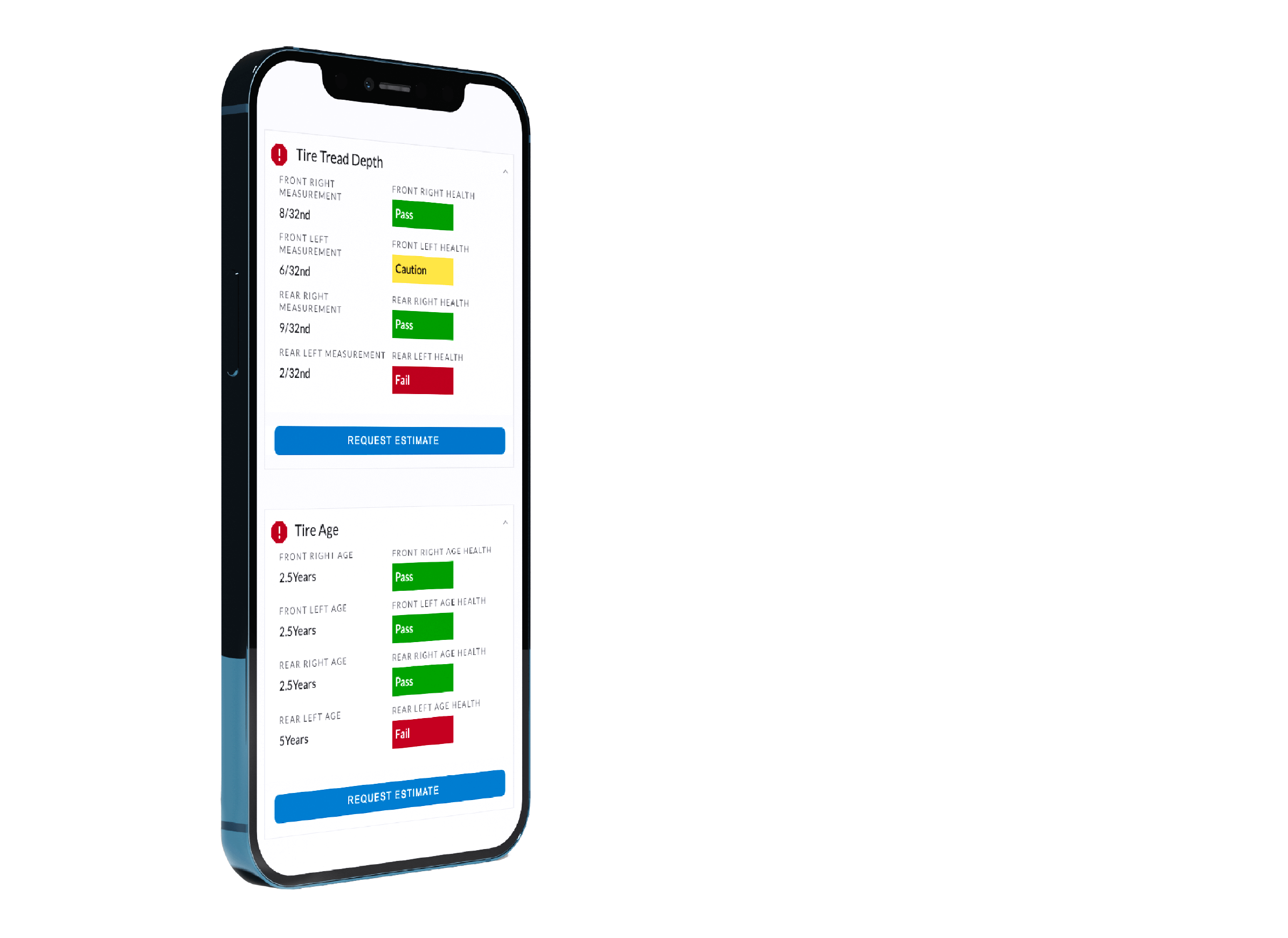
Seamlessly integrate UVeye’s tire and alignment inspection data into myKaarma’s MPVI platform, giving customers instant mobile access to detailed reports and high-resolution images.

Advisors can prioritize repairs, reduce cycle times, and streamline workflows. Tire and alignment inspection results, along with supporting images, are automatically sent via myKaarma’s CRM, enhancing transparency, speeding approvals, and boosting customer satisfaction.

Enable Integration

Improved Efficiency

Integrate UVeye’s tire and alignment inspection data with myKaarma’s service tools to optimize service workflows and maximize service revenue.

Enhanced Transparency

Send UVeye tire and alignment inspection reports and images directly to consumers from myKaarma, improving communication, transparency and speeding up decision-making.

Customer Satisfaction

Streamline the repair process and improve customer engagement by automatically sending inspection reports and images to consumers.

How to Enable?

1. Enroll through the myKaarma Store to request the UVeye integration.

2. The myKaarma team will coordinate directly with UVeye and your dealership to complete setup.

3. Data transfer and configuration are handled jointly by myKaarma and UVeye, and you’ll be notified once the integration is active.

Ready to take the next step?

Join the movement of data-driven inspections.

Elevate your operations and refine your strategy with UVeye.